Patient Recruitment & Screening Funnel Tracker (Excel Tracker)
Enrollment tracking often lives in disconnected site emails and monthly status calls. This Excel tracker gives you a single, live view of the recruitment funnel — from patients screened down to randomized — across every site and month of the study.
What's inside:
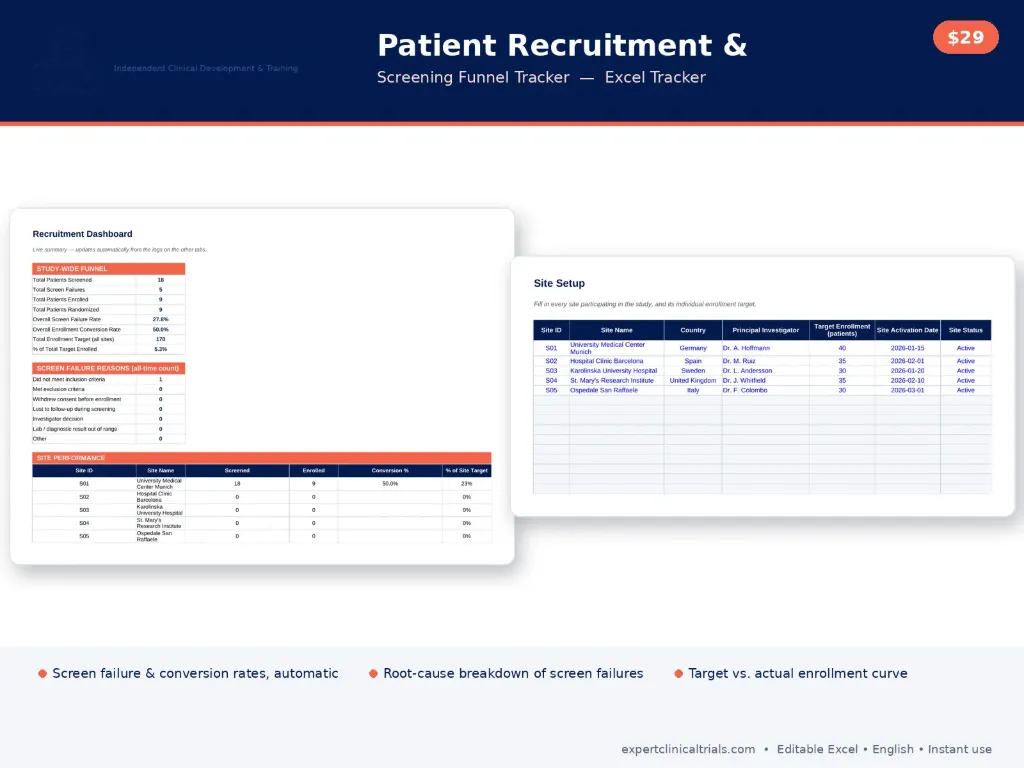
- A Site Setup tab to record each site's country, PI, individual enrollment target and activation date
- A Monthly Recruitment Log capturing patients screened, screen failures, enrolled, randomized and post-enrollment withdrawals, one row per site per month
- A Screen Failure Reasons log with a standard root-cause category list (inclusion criteria, exclusion criteria, consent withdrawal, lost to follow-up, investigator decision, lab/diagnostic result out of range, other)
- An Enrollment Target vs. Actual view tracking cumulative enrollment against plan, month by month
- A live Dashboard with the study-wide funnel, screen failure rate, enrollment conversion rate, % of total target enrolled, a root-cause chart, and per-site performance
- Color-coded input cells, a full color legend and key definitions, and pre-filled example sites and data
Who it's for: Clinical operations managers, project managers, and CRAs who need to track enrollment against plan and understand why patients are screen-failing, without building a spreadsheet from scratch.
Format: One Excel workbook (.xlsx), fully editable, in English. Works in Excel and Google Sheets. Instant download after purchase.